

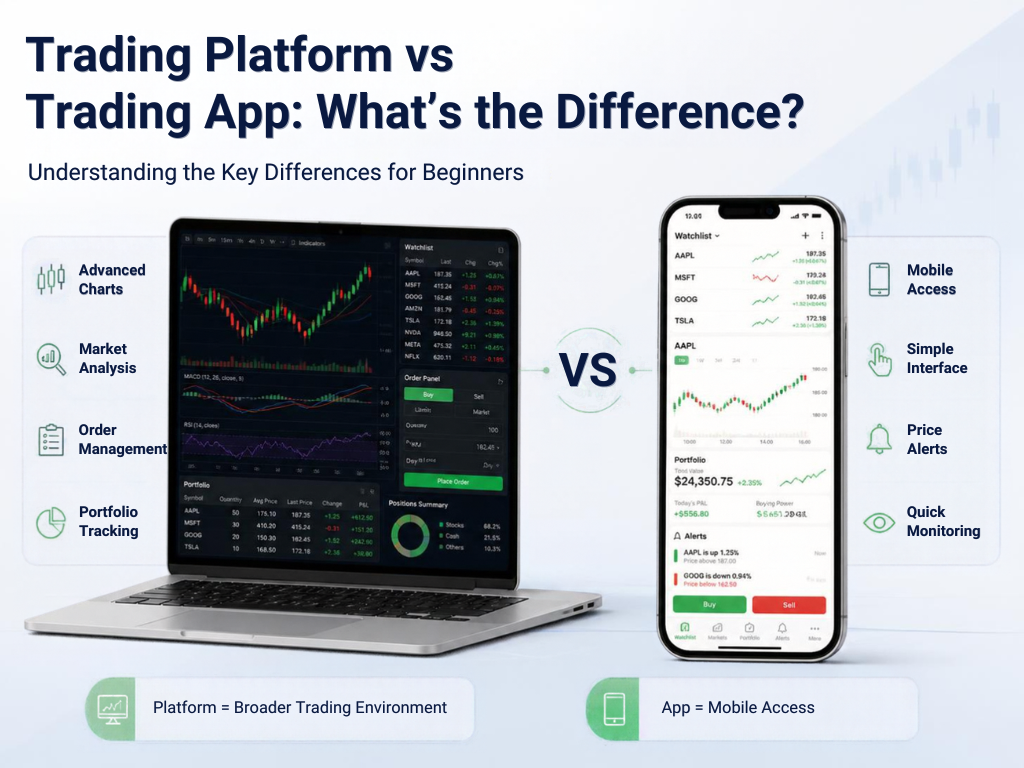

The terms trading platform and Trading App are often used interchangeably, but they can describe different ways of accessing financial markets. A trading platform is the broader system used for market analysis and order management, while a trading app is usually the mobile interface through which users access those services.
What Is a Trading Platform?
A trading platform is software that provides market information, analysis tools, order management and account-related functions. It may be available through a desktop application, web browser or mobile device.
Platforms can support features such as advanced charting, technical indicators, watchlists, order management and portfolio monitoring.
What Is a Trading App?
A trading app is generally designed for smartphones and tablets. Its focus is convenience and access while away from a desktop.
A mobile app may provide many of the same core functions as a web or desktop platform, but the interface is designed for a smaller screen.
Key Difference: Interface
The most obvious difference is the user interface. Desktop and web platforms can provide more screen space for multiple charts, order panels and market lists. Mobile apps typically prioritise simplicity and quick navigation.
This does not mean that one format is automatically more suitable. The choice depends on how a user analyses markets and manages positions.
Some desktop platforms offer extensive chart customisation and a larger selection of technical tools. Mobile apps may provide the essential indicators needed for basic analysis.
Traders who require multiple charts simultaneously may prefer a larger screen, while users who mainly monitor positions may find a mobile interface sufficient.
Order Management
Both platforms can support electronic order placement, depending on the broker and market. The important point is not the device itself but the reliability of the underlying trading infrastructure.
Users should understand order types, execution conditions and applicable charges before placing orders.
Notifications and Alerts
Mobile apps have an advantage in portability. Push notifications can inform users about order status, price movements or account events.
However, receiving an alert does not mean that a particular trade is appropriate. Alerts are simply a way to bring information to the user’s attention.
Security
Security is essential on both platforms. Users should protect their devices, use strong authentication and avoid sharing login credentials.
A secure interface should also make important account activity visible so users can identify unusual transactions.
Web, Desktop and Mobile Together
Many brokers provide a connected ecosystem in which the same account can be accessed through a browser, desktop software and mobile app. In such cases, users can analyse markets on a larger screen and monitor positions through their phone.
Regulatory Considerations
The interface should not be confused with regulatory status. A polished app or website does not automatically mean that the underlying trading service is authorised.
SEBI advises investors to avoid unregistered intermediaries and identifies dabba trading as illegal and unregulated. citeturn0search5turn0search0
Which Features Should Beginners Compare?
Beginners can compare market coverage, order types, charting, alerts, portfolio tracking, security, customer support, fees and the intermediary’s regulatory status.
The most useful platform is one whose features are understandable and appropriate for the user’s needs.
Conclusion
A Trading Platform is the broader technology environment for market analysis and order management, while a trading app is typically the mobile access point. The two may offer overlapping functions, and many modern services provide both.
Before choosing either, users should focus on functionality, security, costs and regulatory status rather than the device or interface alone.